Pass Parameter Values
This document describes the main concepts for using parameters in Snap, and provides examples of their use in various tasks.
The document consists of the following sections.
Create Parameters
You can manage the report parameters available for a Snap document using the Parameters dialog.
To invoke the Parameters dialog, right-click the Parameters node (or any of its sub-nodes) in the Data Explorer and select Edit Parameters… in the invoked drop-down menu.
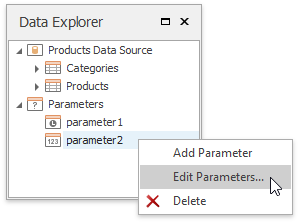
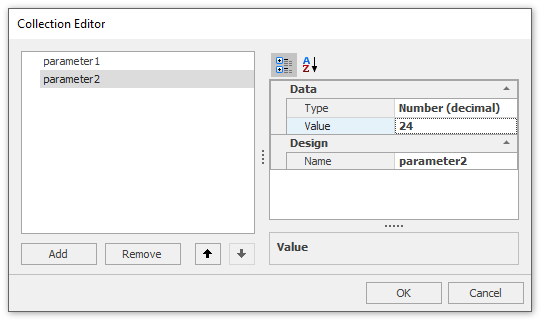
The Parameters dialog allows you to add and remove parameters using the corresponding buttons. Alternatively, you can add or remove a parameter by right-clicking the parameter in the Data Explorer and selecting the required action in the invoked drop-down menu.
Select the newly added parameter and specify its properties in the properties grid. Be sure to specify the proper parameter type based on the parameter’s intended use.
Pass Parameter Values
After a parameter is created, it can be used in different ways during report generation. Below is a list of tasks that can be accomplished using parameters.
-
Data Binding
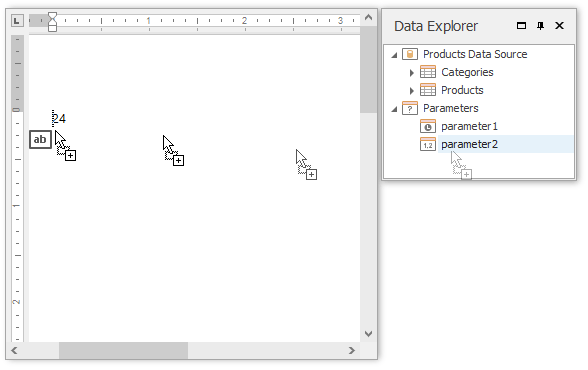
To display a parameter’s value in a report, drag the parameter from the Field List and drop it onto the Design Surface.
-
Filtering
You can use a report parameter as part of a filtering expression to filter the Snap document data at either the report level or the data source level.
To filter the Snap document data at the data source level, do the following.
- Invoke the Query Builder for the data source that you wish to filter.
-
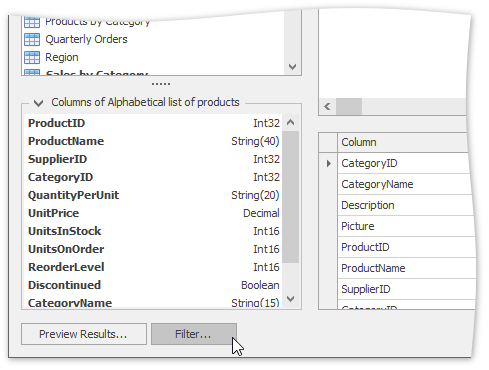
In the Query Builder, click the Filter button to invoke the Filter Editor.
-
In the Filter Editor, construct an expression where the parameter’s value is used as a filtering criterion. To access the parameter, click the icon on the right. It will turn into a question mark.
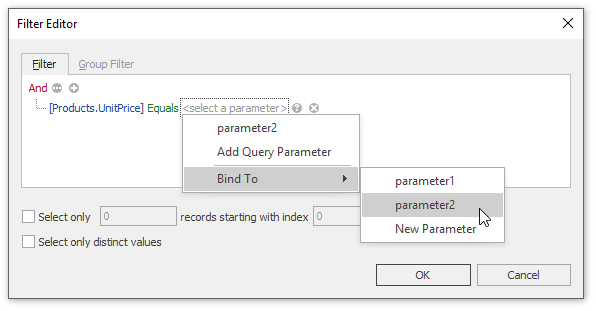
Click OK to exit the dialog.
The SQL query generated by the query designer will be updated to reflect the specified filtering.
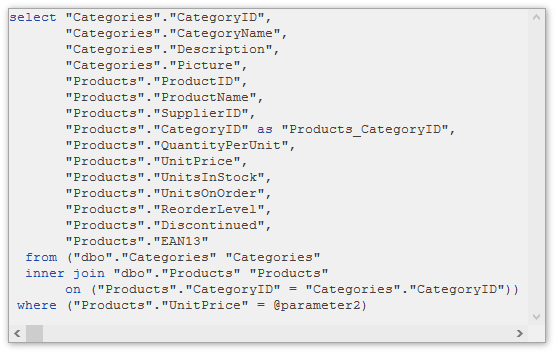
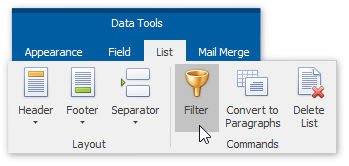
In a similar way, you can use the Filter Editor to filter the Snap document data at the report level. In this case, to invoke the Filter Editor, click the Filter button that resides on the List tab of the contextual Data Tools toolbar category.
-
Calculated Fields
In addition to standard data fields, parameters can be used in expressions for calculated fields. The only difference is that the data field is inserted into the expression’s text using its name in [square brackets], while a parameter is inserted using the “Parameters.” prefix before its name.
