Scaling
To scale a document, click the Scale  button on the Print Preview’s toolbar. This invokes the Scale dialog.
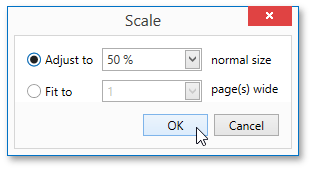
The dialog provides two ways for scaling the document.
-
Scaling by entering a zoom factor.
Select the first option and set the required percentage value in the dedicated editor.
-
Scaling to fit into X pages.
Choose the second option and specify the required number of pages.
Click OK to save changes and close the dialog.
[!NOTE] If you’re working with a document loaded from a file, you cannot use scaling.