Create a New Data Source
This topic describes how to create a new data source based on the existing data connection.
Create a Data Source for a New Dashboard
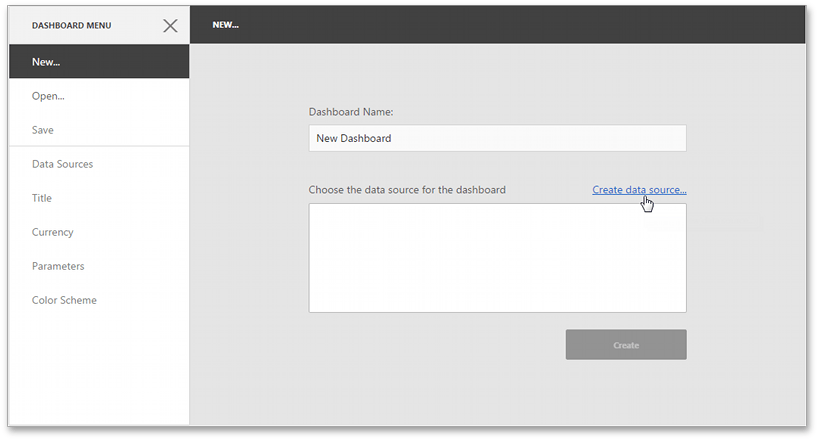
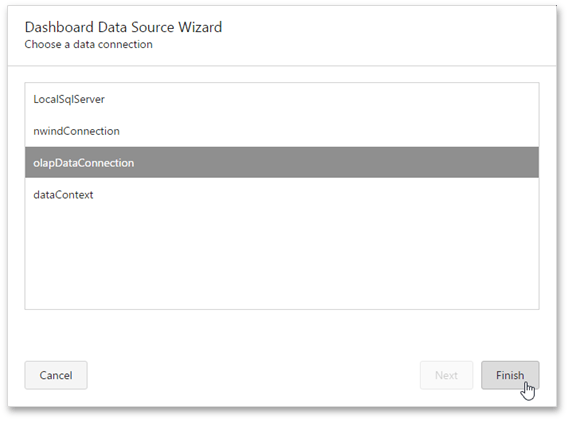
After creating a new dashboard, the New page of the dashboard menu is invoked. Click the Create data source… button to invoke the Dashboard Data Source Wizard where you can select the required connection.
[!NOTE] The SQL data connection requires a query or a stored procedure for further work. To learn more about managing queries, see Manage SQL Queries.
Click Finish to create a new data source based on the selected connection.
The next step is connecting a dashboard to a data source.
Create a Data Source for the Existing Dashboard
You can create a new data source based on the predefined connection for the existing dashboard. To learn more, see Manage Data Sources.