Insert a Picture
The Spreadsheet allows you to insert pictures in a worksheet.
You can insert graphics of the following type.
- Bitmap (*.bmp, *.dib)
- JPEG File Interchange Format (*.jpg, *.jpeg)
- Portable Network Graphics (*.png)
- Graphics Interchange Format (*.gif)
To insert a picture, follow the instructions below.
-
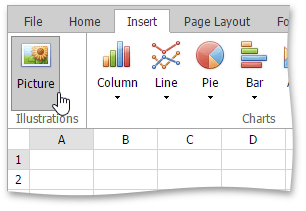
On the Insert tab, in the Illustrations group, click the Picture button.
-
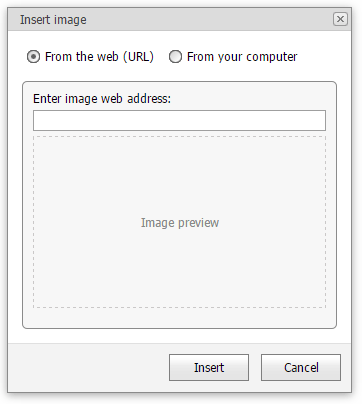
In the Insert Image dialog box that is invoked, enter an image’s web address (if you are going to load a picture from the web) or locate the required folder and select a file (if you are going to load pictures from your computer). Click Insert. The picture will be inserted into the worksheet.