Import Text Files
The Spreadsheet provides the capability to save a workbook as a text file (.txt or .csv).
####Save a Workbook as a Text File
-
To save a workbook as a text file, go to the File tab, and in the Common group, click the Save As button.
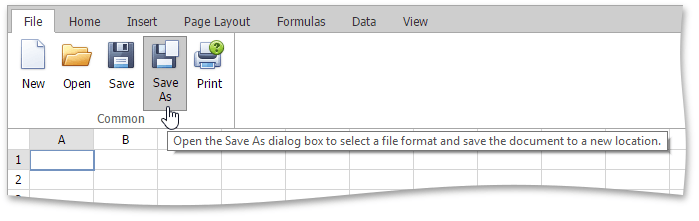
-
In the Save Spreadsheet File As dialog box that is invoked, select the Text (Tab-delimited) or CSV (Comma-delimited) item from the File type drop-down list.
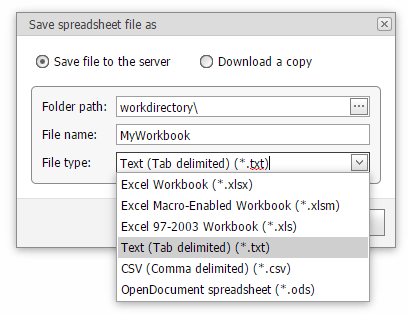
The main features of the tab-delimited and comma-delimited file formats are described below.
-
Tab-delimited text files
This file format uses the TAB character to separate each field of text. Note that the Spreadsheet only saves the active worksheet as a text (.txt) file. The columns are separated by the tab characters and each row ends with a carriage return character. The values and text in cells are saved as they are displayed in a worksheet. If a cell contains a comma, the cell contents are enclosed in double quotation marks. All formatting options applied to the cell, pictures and objects (such as hyperlinks) are lost.
-
Comma-delimited text files
This file format uses the comma character to separate each field of text. Note that the Spreadsheet only saves the active worksheet as a CSV (.csv) file. Columns are separated by commas, and each row ends with a carriage return character. Cell text and values are saved as they are displayed in a worksheet. If a cell contains a comma, cell contents are enclosed in double quotation marks. All formatting options applied to the cell, pictures and objects (such as hyperlinks) are lost.