Format Cell Content
The Spreadsheet provides the capability to set the font style, size, color and text alignment in a cell.
To format cell content, follow the steps below.
- Select a cell or a cell range that you wish to format.
-
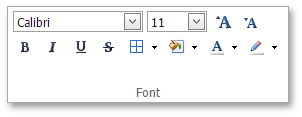
To change the font, use the Font group within the Home tab to specify the font family, size, style, color, etc.
-
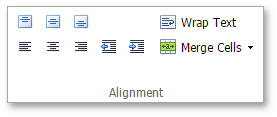
To position text within a cell so that it is centered, aligned to the left or aligned to the right, select the appropriate alignment options in the Alignment group within the Home tab.
-
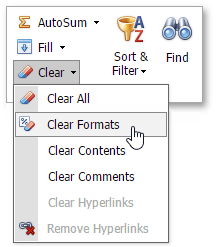
To undo the formatting options you applied before, select the text. In the Editing group within the Home tab, click the Clear drop-down and select the Clear Formats item.