Zooming
To zoom in or out of a document, click the Zoom In  or Zoom Out
  button on the Document Viewer toolbar. These buttons change the document’s current zoom factor by 1 percent.
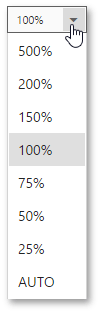
You can also zoom the document to a specific zoom factor. To do this, click the dedicated dropdown list button and choose one of the zoom factor presets from the invoked list.