Save a Workbook
To save a workbook, go to the File tab, and then click the Save as button in the Common group, or press F12 instead of these steps.
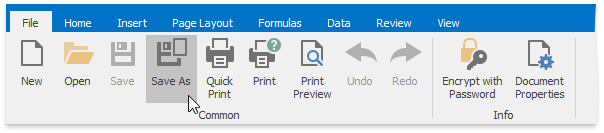
After that, the Save as dialog box is invoked.
Specify the location and the file format in which to save the workbook.
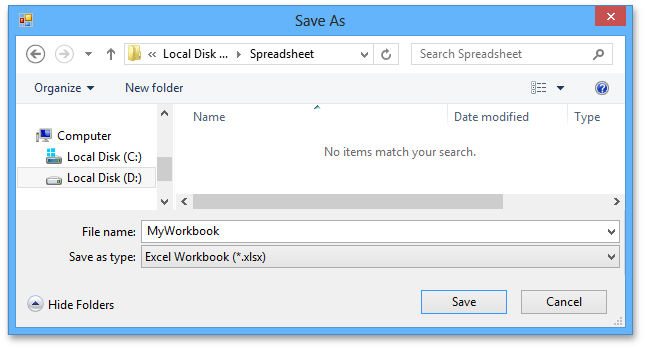
The available file formats in the Save as dialog box are the following.
- Excel Workbook (*.xlsx)
- Excel Macro-Enabled Workbook (*.xlsm)
- Excel 97-2003 Workbook (*.xls)
- Excel Template (*.xltx)
- Excel Macro-Enabled Template (*.xltm)
- Excel 97-2003 Template (*.xlt)
- Tab-delimited Text File format (*.txt)
- Comma-separated Values File format (*.csv)
To save the active workbook with its current file format and location, go to the File tab, and then click the Save button in the Common group, or press CTRL+S instead. If you click the Save button to save a newly created workbook, the Save as dialog is invoked.