Modifying a Chart Manually
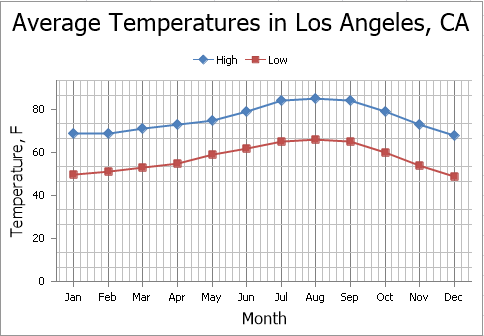
After you create a chart, you can choose whether to apply one of the predefined chart layouts or specify your own layout. The Spreadsheet provides the capability to add axis titles and chart titles, show the chart legend, display gridlines and data labels, etc.
To modify a chart, click it to display the Chart Tools contextual tab.
Add a Chart Title
To add a title to your chart, click the Chart Title button in the Labels group within the Layout tab, and then select where to position the chart title. For example, click the Above Chart button to display the title at the top of the chart.
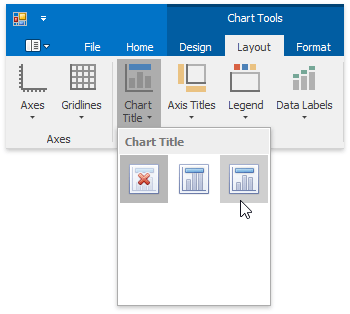
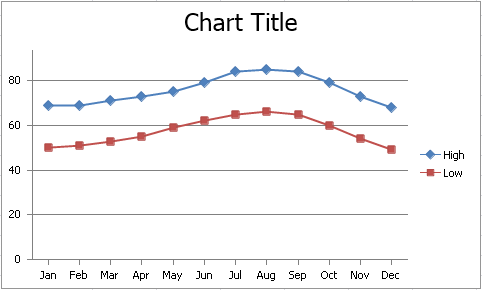
The image below illustrates the result.
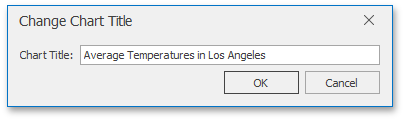
To change the default text in the title, right-click the chart and select the Change Chart Title… item in the context menu. Specify a new chart title in the invoked Change Chart Title dialog box.
Add Axis Titles
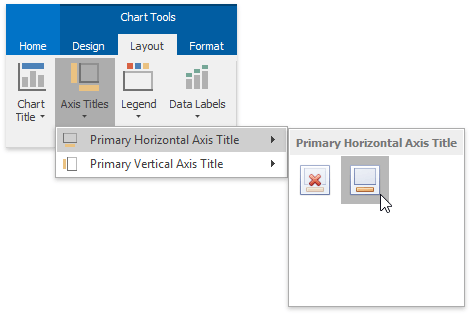
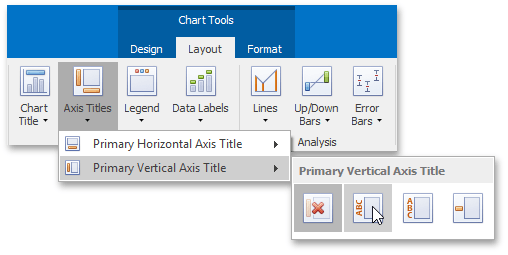
To display horizontal and vertical axis titles, click the Axis Titles button in the Labels group within the Layout tab and do the following.
-
To add a horizontal axis title, select the Primary Horizontal Axis Title item, and then click the Title Below Axis button.
-
To add a vertical axis title, select the Primary Vertical Axis Title item, and then select the type of axis title (rotated, vertical or horizontal) you wish to display.
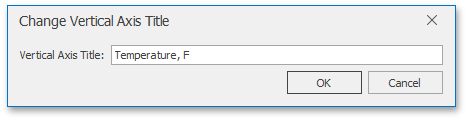
To change the default text in the axis title, right-click the chart and select the Change Horizontal Axis Title… or Change Vertical Axis Title… item in the context menu. Type a new title in the invoked dialog box.
Add a Chart Legend
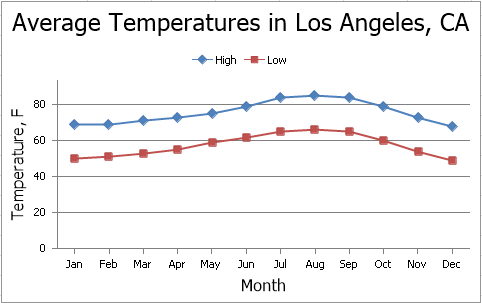
To add a legend to the chart, click the Legend button in the Labels group within the Layout tab, and then select where to position the legend.
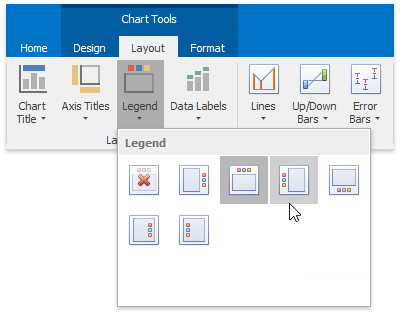
For example, click the Show Legend at Top button to display the legend above the plot area.
Display Data Labels
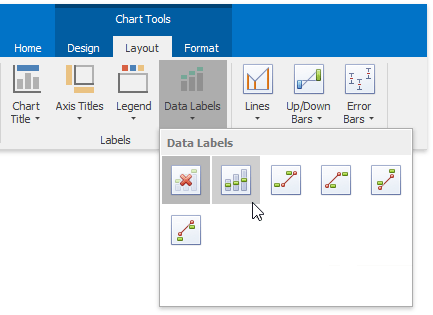
To display data values on the chart, click the Data Labels button in the Labels group within the Layout tab, and then select where to position the data labels.
Add Gridlines
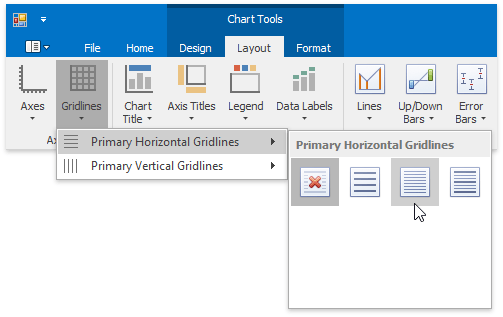
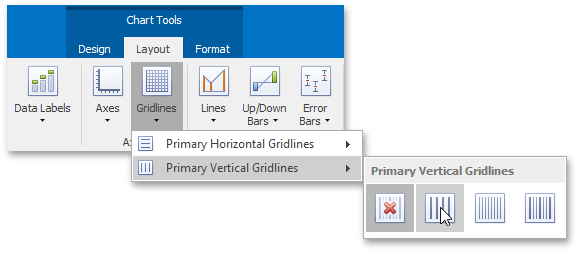
To display chart gridlines, click the Gridlines button in the Axes group within the Layout tab and do one of the following:
-
To add horizontal gridlines, select the Primary Horizontal Gridlines item, and then select the type of gridlines you wish to display.
-
To add vertical gridlines, select the Primary Vertical Gridlines item, and then select the type of gridlines you wish to display.
A chart with horizontal and vertical gridlines is shown below.