Check Text Spelling
The Rich Text Editor supports spell-check. All misspelled words in your document (words that are not found within the available dictionaries in the Spell Checker) are underlined. You can work with misspelled words via the context menu, invoked when right-clicking the underlined word.
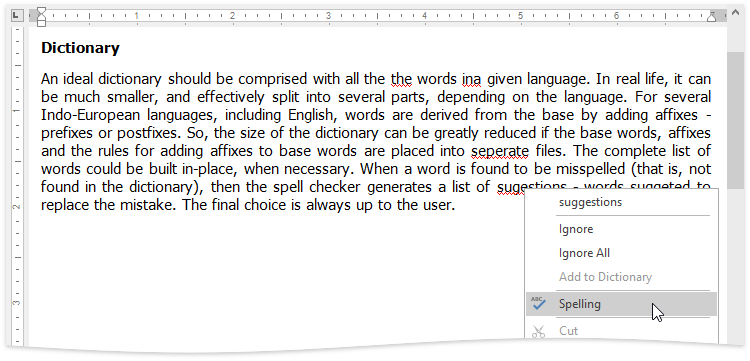
In the context menu, you can do one of the following:
- Select one of the suggested corrections for the misspelled word to correct it;
- Ignore the current occurrence of the word;
- Ignore all occurrences of the word;
- Add the word to the dictionary in the Spell Checker.
To perform spell check word-by-word, select the Check Spelling item from the context menu, or on the Review tab, in the Proofing group, click the Spelling button …
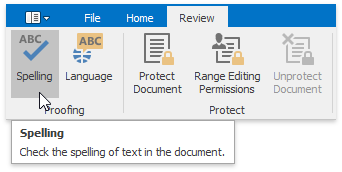
… or press F7.
The Spelling dialog will be invoked.
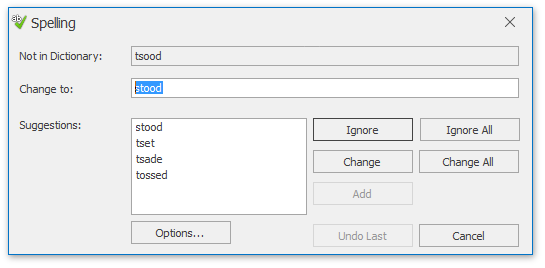
In this dialog, select what to do with the misspelled word, click corresponding button, and you will jump to the next misspelled word.