Set Table Properties
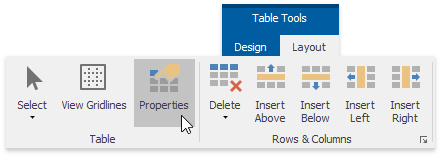
To change settings of table rows, columns, particular cells or whole tables, use the Table Properties dialog. To invoke this dialog, click within a table whose properties you wish to specify, and on the Table Tools/Layout tab, in the Table group, click the Properties button.
–You can also:
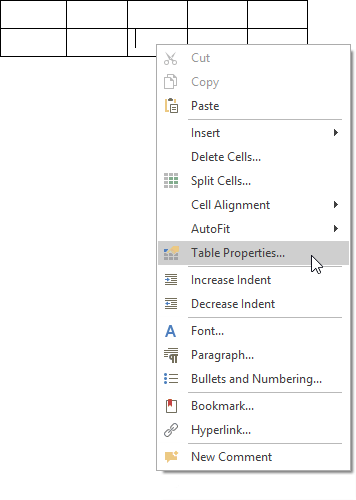
Right-click within a table to be modified and select Table Properties… form the context menu.
The Table Properties dialog includes several tabs.
-
On the Table tab you can set table properties, such as the preferred width for an entire table and table alignment (position of the table relative to the margins of the page).
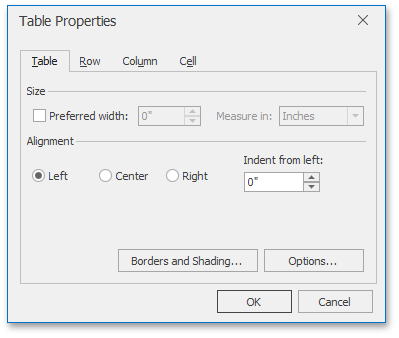
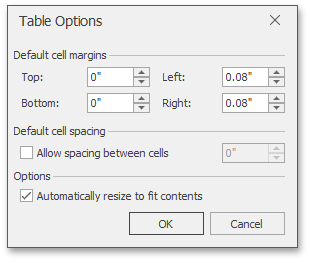
The Options… button invokes the Table Options dialog that allows you to set default cell margins (spacing between cell borders and text within each cell), specify whether the additional space should be between cells, set the amount of this space, and set whether or not table columns should be automatically expanded to accommodate cell content.
-
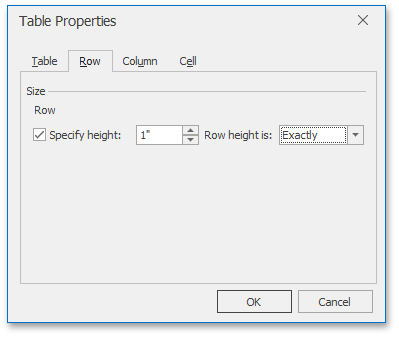
The Row tab allows you to set the height of the table row, enable or disable the row to break across pages, and specify whether or not the row should be the first row on each page in case the table is more than one page.
-
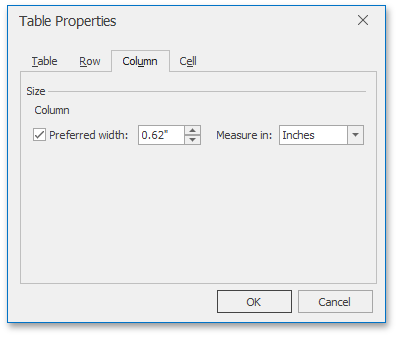
On the Column tab, you can set the preferred width for the table column.
-
Options on the Cell tab allow you to set the preferred width of the table cell and select a vertical alignment of the text within the cell.
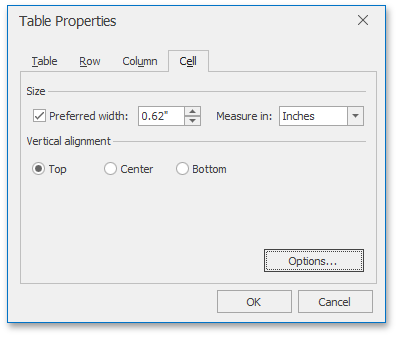
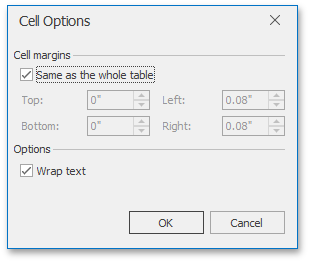
The Options… button invokes the Cell Options dialog allowing you to customize cell margins (space between cell borders and cell content) and specify whether or not the text within the cell should be wrapped and fitted.