Select a Cell, Row or Column
Select a Cell
You can select a table cell in one of the following ways.
- Double-click a cell.
-
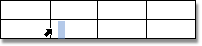
Click the left edge of a cell.
-
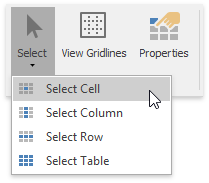
Click a cell to be selected. Then on the Table Tools/Layout tab, in the Table group, click the Select button and choose Select Cell from the invoked list.
[!NOTE] To select multiple cells, click the left edge of a cell and then drag it across other cells.
Select a Row
To select a table row you can do one of the following.
-
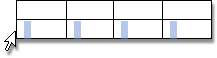
Click to the left of a row.
-
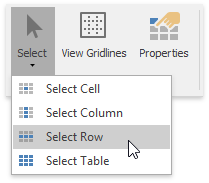
Click a cell included into a row to be selected. Then on the Table Tools/Layout tab, in the Table group, click the Select button and choose Select Row from the invoked list.
Select a Column
To select a table column you can do one of the following.
-
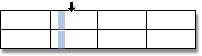
Click the top edge of a column.
-
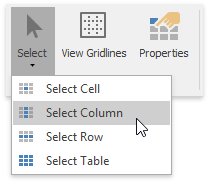
Click a cell included into a column to be selected. Then on the Table Tools/Layout tab, in the Table group, click the Select button and choose Select Column from the invoked list.
Select a Table
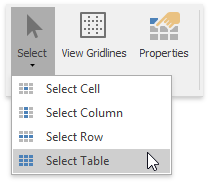
Click any cell of a table. Then on the Table Tools/Layout tab, in the Table group, click the Select button and choose the Select Table item from the invoked list.