Document Preview
To display a preview for the report currently being opened in the Report Designer, switch to the Print Preview tab. You will see the report populated with data and divided into pages.
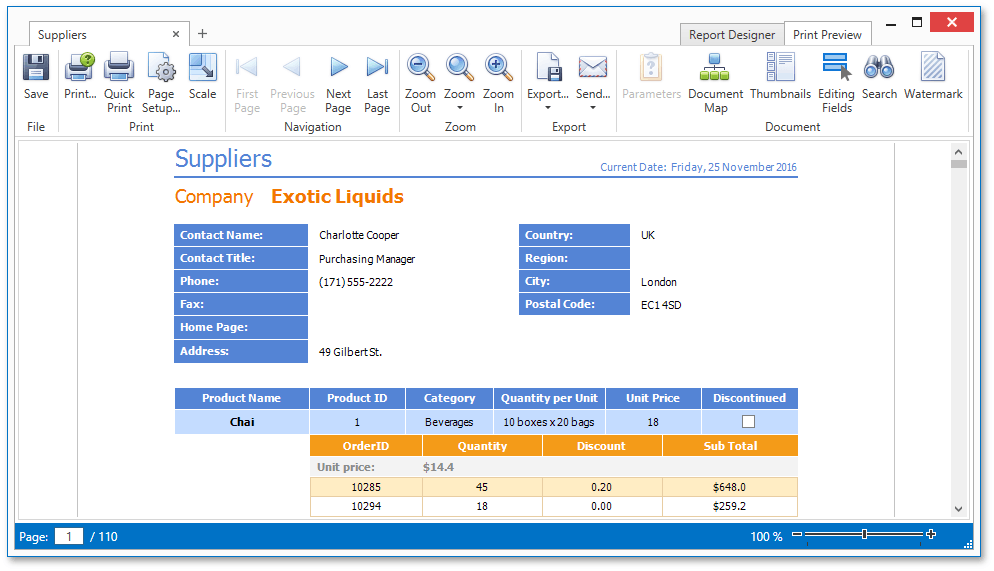
The document preview allows you to check the print output of a report and customize its additional options using the Preview Toolbar. The report can be then exported to different third-party formats, sent using e-mail or printed.
Different elements of the Report Designer’s preview are covered in the following documents.
[!NOTE] To learn more about the options available in the preview mode, refer to the Print Preview for WPF section of this documentation.