Create a New Report
This topic explains how to create a new report in the Report Designer.
To create a new report, do one of the following depending on the Report Designer’s View.
-
In the Classic View, click the New button in the Toolbar.
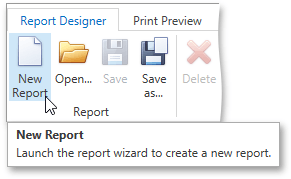
-
In the Browser View, click the plus button located inside the tab panel next to report headers.
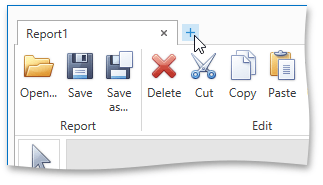
As a result, the Report Wizard is automatically invoked allowing you to create the required report based on built-in templates.