Change Measurement Units of a Report
For your report, you can choose its global Measure Units, which can be Hundredths of an Inch, Tenths of a Millimeter or Pixels.
To specify the Measure Unit property, do one of the following.
-
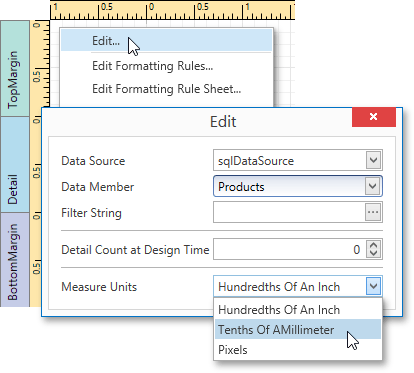
Right-click the report and select Edit… in the context menu. In the invoked dialog, set this property to the required value.
-
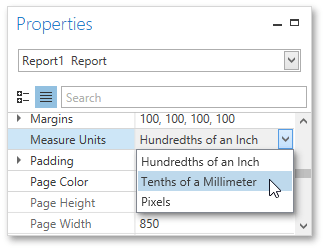
Select the report and switch to the Properties Panel. Expand the Measure Units drop-down and select the required value.
This defines the basic measurement unit for all the unit-related options of a report and its bands and controls (such as location, size, border width, etc.) as well as the measurement unit of the report’s Snap Grid.