Save Reports
Reports are saved as a file with an REPX extension. This file stores information about the report layout.
You can use one of the following commands to save reports:
Use the Ribbon’s Home Tab
-
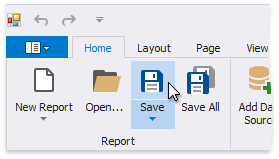
Click Save Save As to save a copy of the report. 
Specify the folder and file name in the invoked Save As dialog.
-
Click Save or press CTRL+S to save the report’s layout in the application’s folder.
Use the Ribbon Application Menu
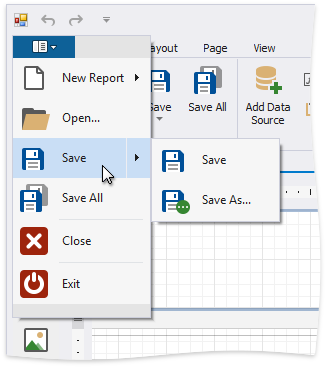
You can use the Save or Save As command in the application’s menu to save the report’s current layout or save a copy of the report.