Resize Grid Columns, Bands and Card Fields
Resize Columns and Bands in Grid Views
To resize columns and bands, drag the right edge of the target column/band header:
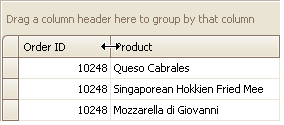
To change a column’s width so that it displays its contents compactly in their entirety, do one of the following:
- Double-click the right edge of the column header.
-
Right-click the column’s header and select Best Fit:
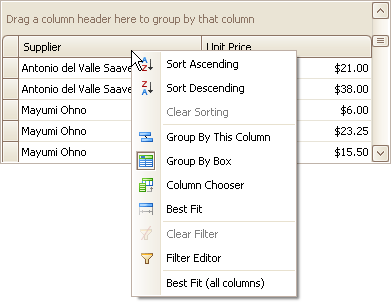
To change the widths of all columns so that they display their contents in the best possible way, right-click the header of any column and select Best Fit (all columns).
Resize Card Fields in Layout Views
To resize cards or card fields do the following:
-
Click the Customization button displayed within the header panel:
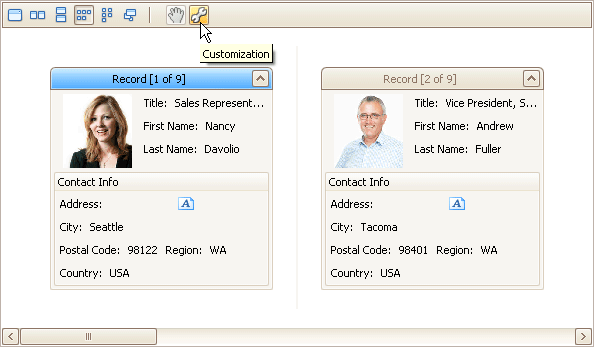
The LayoutView Customization window will open:
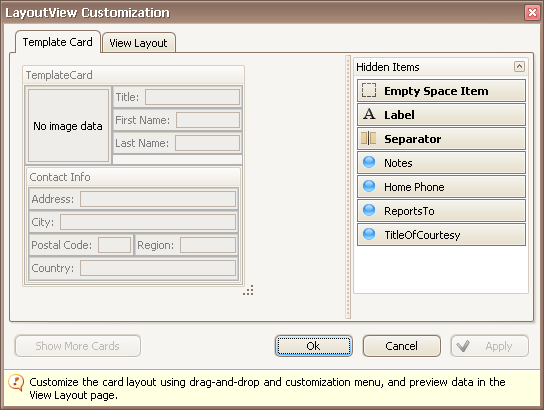
- Resize the template card and/or fields within the template card as required.
- Close the Customization window to apply the changes.