Working with Dropdown Editors
Open Editor’s Dropdown
Do one of the following:
- Focus the editor and press ALT+DOWN ARROW or F4.
-
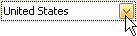
Click the editor’s dropdown button:
Close Editor’s Dropdown
For all editors providing a dropdown, you can close the dropdown by pressing ALT+DOWN ARROW, ESC or F4.
If the calculator is displayed in the dropdown, it can be closed via CTRL+ENTER.
Dropdowns displaying lists of items can be closed by clicking an item with the mouse, or by selecting an item with the keyboard and pressing ENTER.