Image Editor
An image editor allows you to load and display images.
[!NOTE] The following steps may vary depending on application vendor.
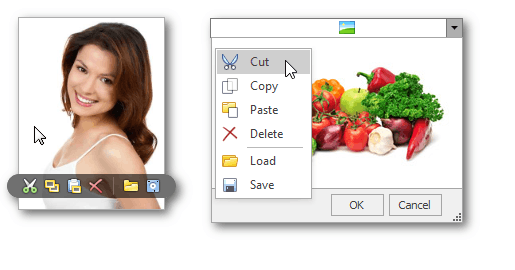
Built-in menu
To access the built-in menu, do one of the following.
- Hover the mouse pointer over the image editor.
- Right-click the image editor.
Open an image
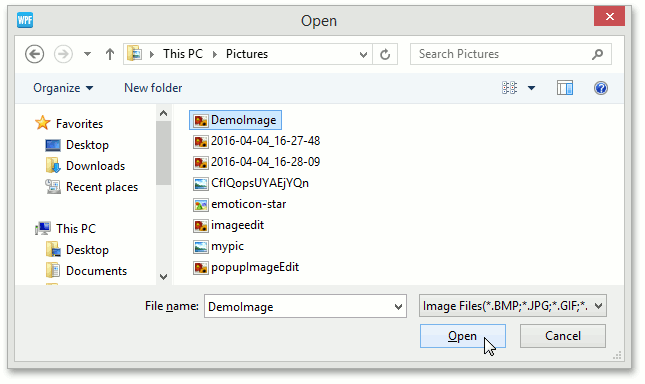
To load a new image, click the Open(Load) button from the built-in menu.
In the invoked dialog, choose an image file and click Open.
Save an image
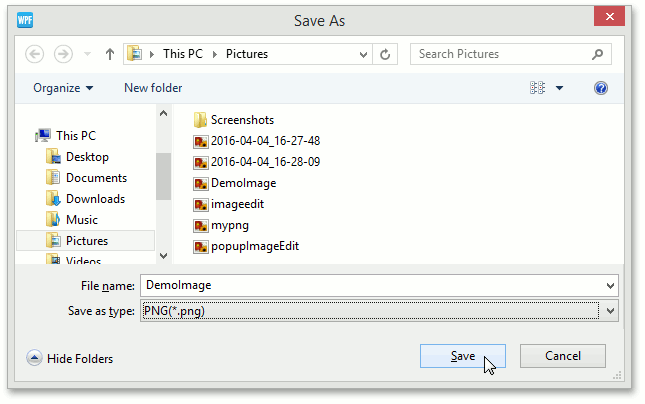
To save the currently displayed image, open the built-in menu and click the Save button.
In the invoked dialog, locate the folder where you want to store your image, enter the file name and click Save.
Using the clipboard
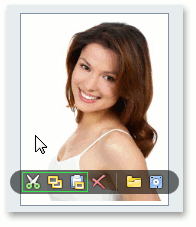
- To cut the currently displayed image and copy it to the clipboard, click the Cut
 button.
 - To copy the currently displayed image to the clipboard, click the Copy
 button.
 - To retrieve the image from the clipboard, click the Paste
 button.
Clear the editor
Click the Clear(Delete) button to clear editor contents.