Legend Page
Tasks
- Customize chart legend’s properties.
Page Elements
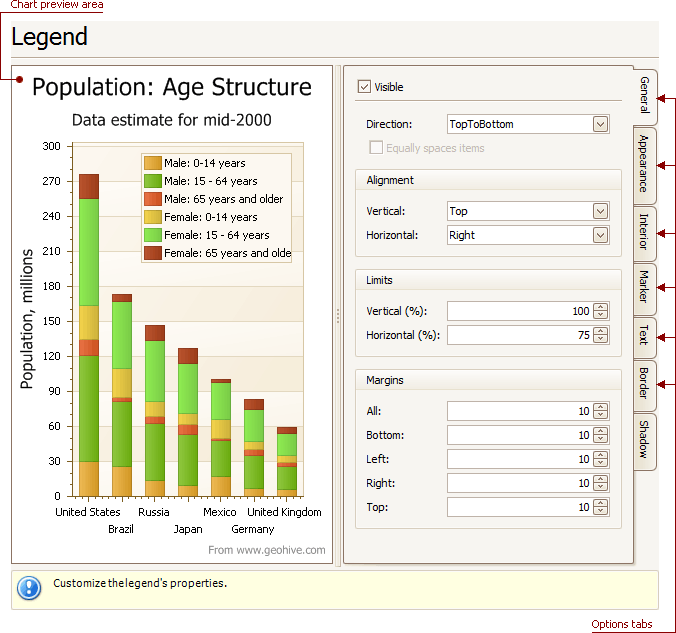
Chart preview area
Previews a chart’s layout.
Note that you can select the legend directly on the chart preview area.
Options tabs
The following tabs are available on this page.
-
General
Specifies legend visibility, direction, alignment, spacing, limits and margins.
-
Appearance
Specifies legend background color and background image.
-
Marker
Specifies visibility and dimensions of legend markers.
-
Text
Specifies legend text antialiasing, color and font.
-
Border
Specifies visibility, color and thickness of legend borders.
-
Shadow
Specifies visibility, color and size of the legend shadow.