Interactivity
This document describes the capabilities that enable interaction between Geo Point maps and other dashboard items. These capabilities include Master Filtering.
Master Filtering
The Dashboard allows you to use any data aware dashboard item as a filter for other dashboard items (Master Filter). To learn more about filtering concepts common to all dashboard items, see the Master Filtering topic.
When Master Filtering is enabled, you can click a callout/bubble/pie (or multiple callouts/bubbles/pies by holding down the CTRL key) to make other dashboard items only display data related to the selected callout(s)/bubble(s)/pie(s).
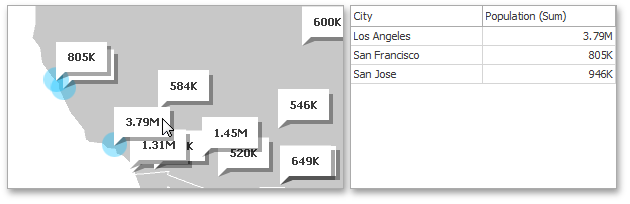
You can also select multiple callouts/bubbles/pies in the following way.
- Hold the SHIFT key and the left mouse button;
- Drag the mouse pointer, to mark an area that includes the desired elements;
- Release the left mouse button. All elements within the area will be selected.
To reset filtering, use the Clear Master Filter button (the  icon) in the Map’s caption area, or the Clear Master Filter command in the context menu.