Pass Query Parameters
The Query Builder allows you to add query parameters when creating a filter criteria. To specify settings of an added query parameter, click Next in the Query Editor dialog.
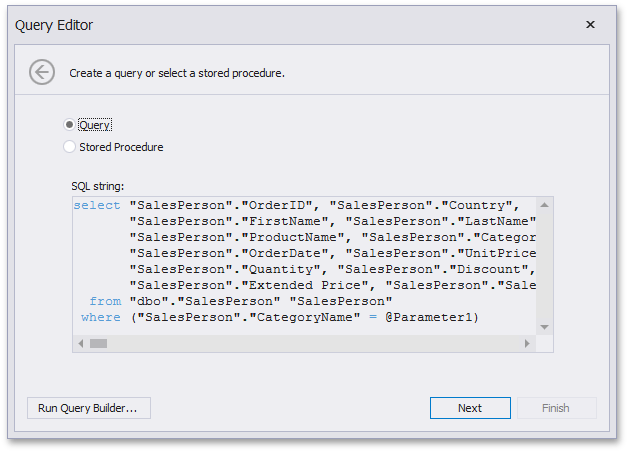
On the next page, add a new parameter (using the Add button) and specify its settings.
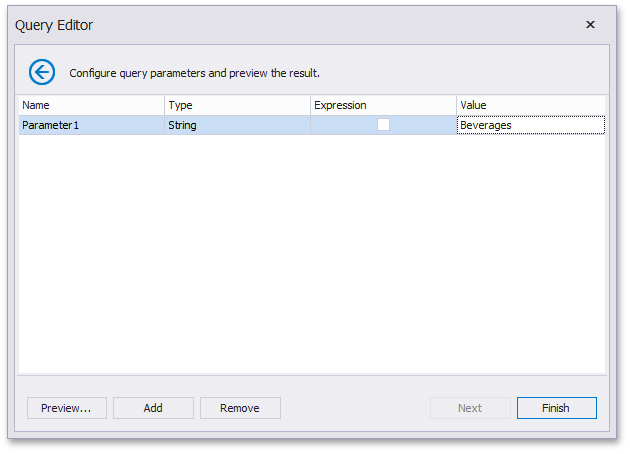
- Name - Specifies a parameter’s name.
- Type - Specifies the parameter’s type.
- Expression - Specifies whether an expression is used to specify a parameter’s value.
- Value - Specifies the parameter’s value. If the Expression check box is checked, you can invoke the Expression Editor dialog to specify the required expression or select an existing dashboard parameter to pass to the SQL query.
Use the Remove button to remove query parameters.
Click the Preview… button to preview the query result. Then, click Finish to complete query modification.