Drill-Down
Dashboard provides the Drill-Down feature, which allows you to change the detail level of data displayed in a dashboard item. The Drill-Down feature enables users to drill down to display detail data, or drill up to view more general information.
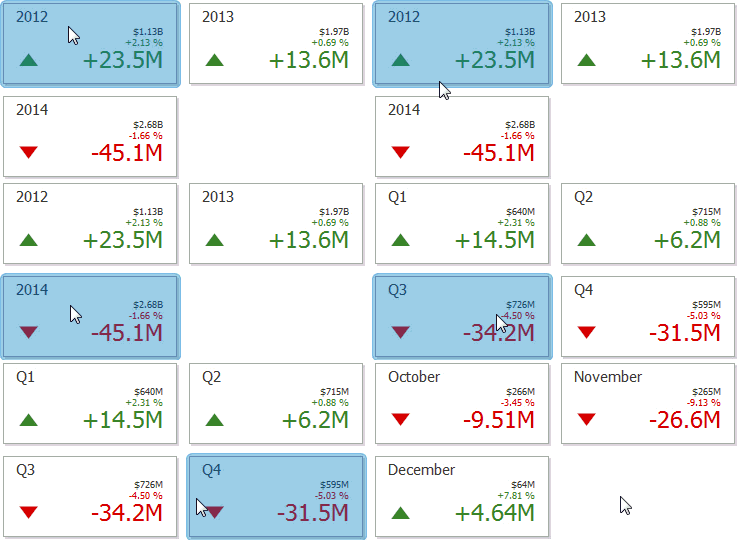
Enable Drill-Down
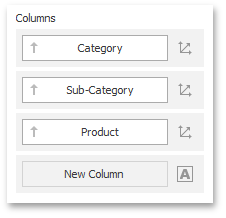
Drill-down requires that the data section contains several dimensions…
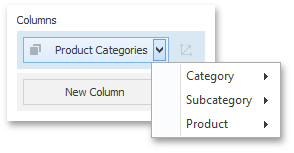
… or a hierarchy data item (in OLAP mode).
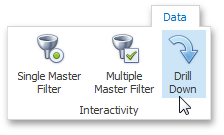
To enable drill-down, click the Drill-Down button in the Data Ribbon tab (or the  button if you are using the toolbar menu).
[!NOTE] If the selected dashboard item contains several types of elements that can be used for drill-down, the Ribbon or Toolbar will provide the appropriate buttons to switch between these types (e.g., Arguments and Series buttons in a Chart). For details, refer to the documentation for the individual dashboard items in the Designing Dashboard Items topic.
The following dashboard items support the Drill-Down feature.
Perform Drill-Down
To learn how you can drill down using a particular dashboard item, refer to the Drill-Down topic in the Interactivity section for this item.