Expression
An Expression format condition allows you to use complex conditions to apply formatting.
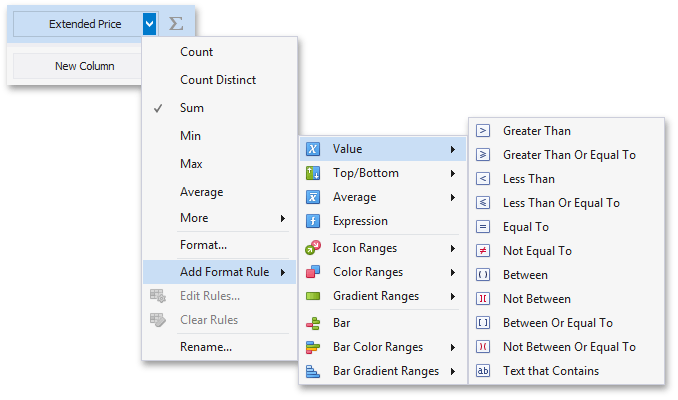
| To format values according to the Expression condition, click the menu button of the required data item and select **Add Format Rule | Expression**. |
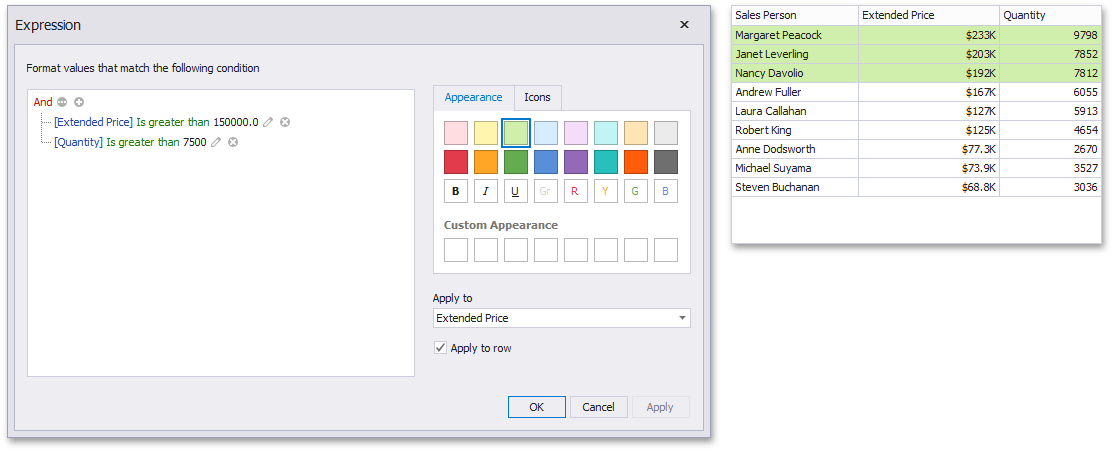
This invokes the Expression dialog that allows you to specify the required expression. For instance, the following image displays a Grid dashboard item whose rows are filled in green if the Extended Price/Quantity values are greater than 150 000 and 7 500, respectively.
You can pass static values when creating conditions or pass a dashboard parameter to apply conditional formatting dynamically. To learn more, see Passing Parameter Values.